
KYC Verification at a Brand-New Sweepstakes Casino: Document-by-Document Walkthrough
 Available in US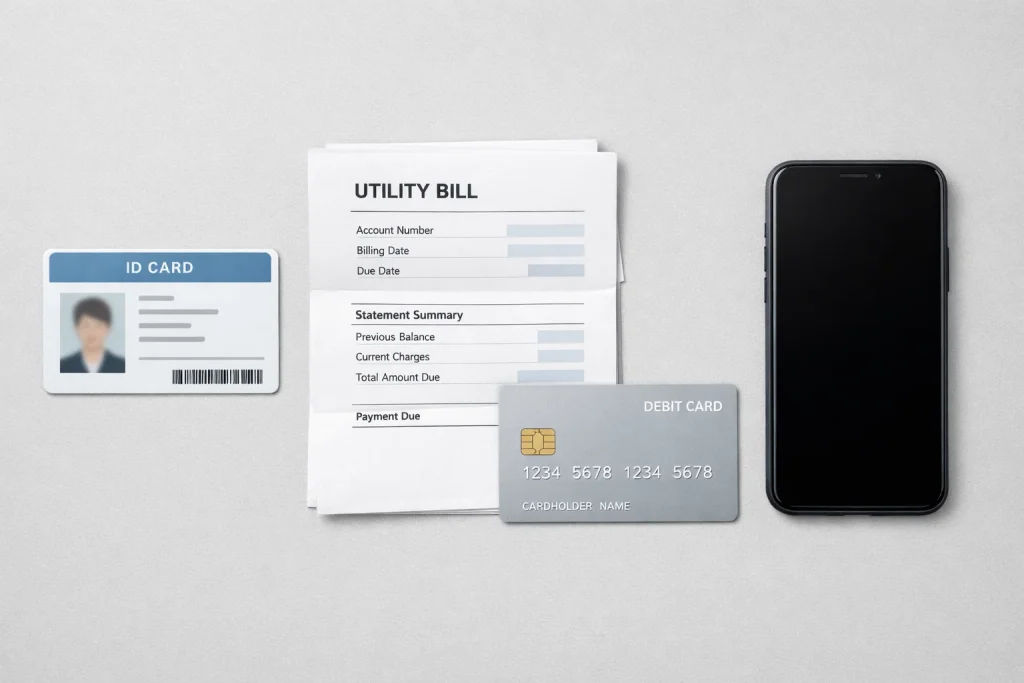
Why Brand-New Ops Verify Harder Than Old Ones
A player wrote to me last month convinced his redemption was stuck because the operator was trying to avoid paying him. His account was four days old, he had won 180 SC on his first SC-mode session, and KYC had bounced his ID twice. The site was ghosting him on support. The scam read on it was easy to imagine — right up until I checked his documents. He had uploaded a photo of a photo of his driver’s license, reflecting a ceiling lamp back at the camera. That was not a scam. That was a brand-new ops fraud team doing its job correctly.
New sweepstakes brands verify harder than established ones and it is worth understanding why before you upload your first document. Established operators like Chumba have years of account data, device fingerprints on millions of users, and behavioral baselines that make fraud detection probabilistic. A brand launched in 2025 has none of that. The only gate they have between honest players and the fraud ring that targets every new launch is the KYC queue. Of the roughly 200 cease-and-desist letters Michigan’s gaming control board has issued to online operators, the small minority that will eventually earn trust in a licensed market are exactly the ones that built strict KYC from day one. Loose verification is an early-warning sign of a brand that will not survive.
First-time KYC at sweepstakes casinos typically takes 24 to 72 hours for document review, name matching, and fraud prevention screening. That is the industry benchmark. At brand-new ops running tighter reviews, the upper end of that range is the realistic expectation. Rejections are common and mostly fixable. What follows is the document-by-document walkthrough that gets you cleared on the first pass.
Read our safe sweepstakes casino verification guide.
ID Document Tier
Every KYC flow starts with government-issued photo ID. The accepted list at most new US brands: driver’s license, state ID card, US passport, US passport card, permanent resident card. A military ID is usually accepted but sometimes routed through a secondary review queue because the format varies by branch. A tribal ID is accepted at some brands and not at others. An expired ID is rejected at all of them, without exception.
The upload itself is where most first-pass rejections happen. Four rules that kill nearly all of them:
One, photograph the physical card, do not upload a screenshot of the digital version stored on your phone. Several states now offer mobile driver’s licenses through state apps; brands reject those almost uniformly because the fraud engines are not calibrated to them yet. Flat card, flat surface, even ambient light.
Two, fill the frame with the card but leave a visible border on all four sides. Cropped edges read as a tampered document. The verification vendor’s OCR needs the full card outline to confirm dimensions.
Three, no glare on the laminated surface. Tilt the card slightly, shoot from directly above at low angle if you have to, but eliminate any reflection covering printed fields. Glare over the date of birth or the photo is the single most common rejection cause I see reported.
Four, upload the back of the card if the brand requests it. Some state IDs carry a barcode on the back that the vendor uses for secondary verification. Skipping the back because it “has nothing on it” stalls the review — the fraud team needs the barcode scan even when the human-readable data is all on the front.
If the operator requests a selfie with your ID in the same frame, match the pose in the reference photo they show. Usually it is the ID held up next to your face with both clearly visible. Do not cover the card with your fingers, do not hold it so close to the camera that the text becomes illegible, and do not wear a hat or sunglasses in the selfie even if your reference photo shows you in them. The review is a live comparison; anything that distorts the facial match slows it down or fails it.
Proof Of Address Tier
The second tier is proof of residential address. The point here is not your mailing address — it is your physical residence, because the operator is verifying that you are located in a state where the sweepstakes model operates and that your residential claim matches the address on your ID.
Accepted documents typically include utility bills (electric, water, gas, internet), bank statements, mortgage statements, lease agreements, and sometimes vehicle registration. The document must be dated within the last 90 days. Age is the single most common rejection reason in this tier — people upload their most recent bill, which might be from four months ago if they switched to paperless billing and have not logged into the provider’s portal since.
The document has to show your full name, your full residential address, and the issue date clearly. PDFs downloaded directly from your utility provider’s website are accepted at every brand I have tested. Screenshots of the provider’s web portal sometimes pass and sometimes do not, depending on how much of the page header the screenshot captures. A photo of a paper bill works fine if the bill is flat, the full page is visible, and the relevant fields are legible.
Credit card statements are a specific edge case. Most brands accept them, but only the billing statement, not a transaction history or a payment confirmation. The operator wants to see the statement header that carries your name and address, which is typically page one of the PDF. If you crop to just a transaction list, expect a rejection.
Mobile phone bills are rejected at a surprising number of brands. The reason is that phone accounts are too easy to spoof — a ported number can carry an old address forward indefinitely, which makes the document weak proof of current residence. If your only utility is your phone bill, expect to need a backup document, which is usually where a bank statement comes in.
Payment-Method Ownership Proof
The third tier only triggers when you request your first redemption. The brand needs to verify that the payment method you are cashing out to belongs to you, not to someone who has access to your account.
For an ACH redemption, that means a bank statement or a voided check showing the account holder name matches the name on your sweeps account. The document has to show the bank name, the account holder, the last four of the account number (not the full number, for security), and the routing number. A screenshot from your bank’s mobile app works at most brands as long as all those fields are visible.
For a PayPal redemption, you will typically need to link the PayPal account during verification. Some brands additionally ask for a screenshot of the PayPal account profile page showing the legal name on the account. The name has to match your KYC name exactly — nicknames, middle initials instead of middle names, or maiden names on the PayPal side versus married names on the ID will cause a hold. PayPal payouts average 4 to 24 hours once approved, but if the name match fails at the verification stage you can lose a week getting it fixed.
For a crypto redemption, if the brand supports it, you will need to provide a wallet address and sometimes a screenshot showing the wallet ownership. A few brands request a signed message from the wallet private key — a standard crypto proof-of-ownership step — but most do not.
For a Visa gift card redemption, no additional proof is usually required because the card is generated against your account, not an external payment method. That is one of the reasons gift card processes within 6 to 24 hours on average and beats ACH transfers on speed.
Common Rejection Reasons And Fixes
A rejection is not a rejection of you — it is a rejection of a specific document, and the fix is usually simple once you know what the fraud team actually saw.
Blurry ID photo. Fix: retake it in daylight on a flat surface with no reflection. If your phone’s autofocus keeps pulling focus to the background, tap directly on the card’s photo to lock focus there, then take the picture.
Cropped ID edges. Fix: step back, zoom out, and leave 10% of frame as margin around the card on every side.
Expired document. Fix: obvious, but the deeper issue is that some operators flag documents that expire within 30 days of upload. If your ID is close to expiration, renew before you go through KYC, not after.
Name mismatch. Fix: if your ID carries a different version of your name than your account (middle name vs. middle initial, maiden vs. married, shortened first name), contact support before uploading. Most brands can align the account to the ID rather than making you change your ID to the account.
Proof of address over 90 days old. Fix: log into your utility provider, download the current statement as a PDF, upload that.
Selfie does not match ID photo. Fix: usually a lighting or angle issue. The verification vendor is comparing face geometry, which is pretty forgiving across aging but not forgiving across poor lighting. Natural window light during the day is the gold standard.
Document edited in software. Fix: re-shoot the original document with no edits. Vendors detect Photoshop, Preview crop edits, and increasingly any image that has been opened and saved in an editing app. Send the raw camera photo or the raw PDF from the source provider, nothing that has been modified.
If you want the bigger picture on how first-redemption timelines stretch around the KYC queue, the method-by-method breakdown lives in our redemption speed guide for new brands.
Will a utility bill over 90 days old be accepted?
At almost no new brand. The 90-day window is the standard across the category and it is enforced strictly at launches that have not yet built behavioral fraud models. If your most recent bill is dated 95 days back, download the current one from your provider"s portal rather than uploading the old one and hoping for leniency — rejections add days to the queue and you will end up downloading the current bill anyway.
Does a digital ID count at new brands?
In almost all cases, no. State-issued mobile driver"s licenses are a relatively new format and the identity-verification vendors that new brands use have not universally added them to accepted-document sets. A photograph of the physical card remains the reliable path. If the physical card is lost or expired, the backup is usually a US passport or a state ID card with the physical plastic credential.
See also: newest sweepstakes casinos — complete sweepstakes casino analysis.